Integrator CRM, the operating system of a smart-home company
Problem
The company ran on a generic, subscription-based project tool that didn't fit how an AV and smart-home installer works. Leads, proposals, scheduling, invoices and client conversations were spread across tools, the crew coordinated by phone, and clients couldn't see where their project stood.
Solution
I built one system around the company's real workflow: a lead becomes a proposal, an accepted proposal becomes a scheduled project, and finished work becomes an invoice the client pays online, with recurring service plans billed automatically.
The office, the technicians and the clients each get their own app from the same codebase, everything updates live with push notifications, and database-level security means every role sees only its own data. AI drafts branded proposals from a short description.
In production
Screens from the app
A few captures from the live product. Captions tell you what you're looking at.
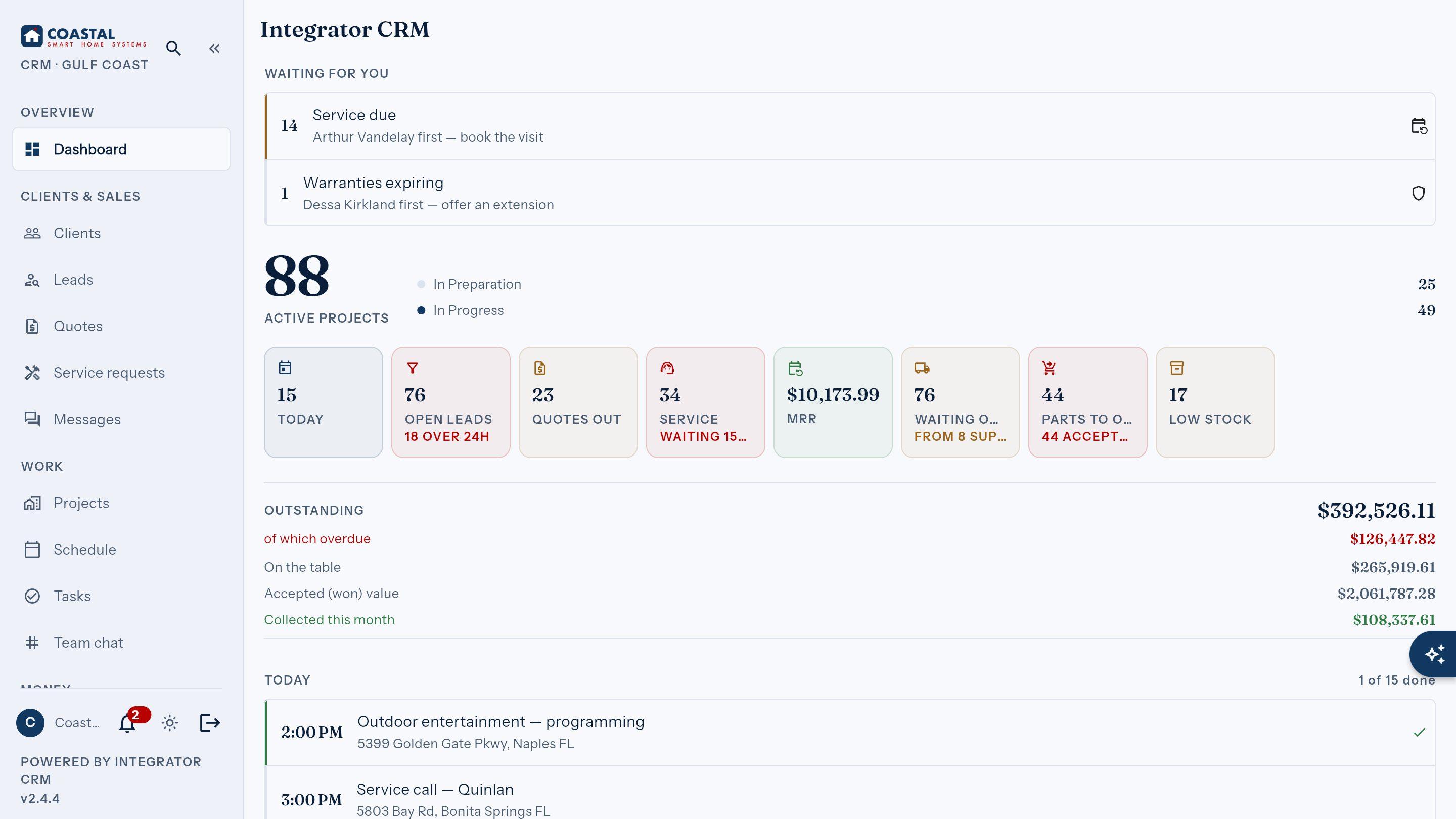
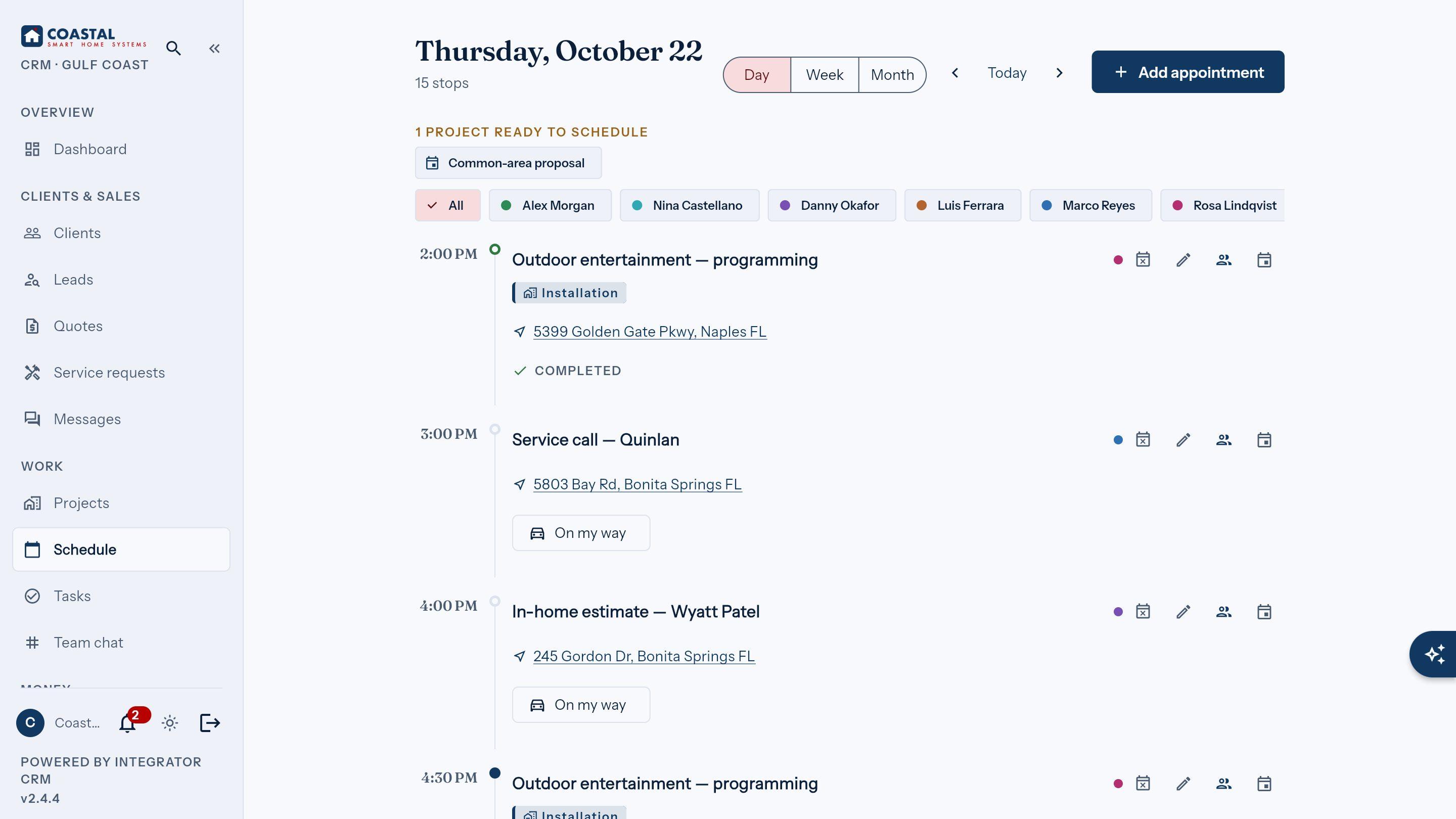
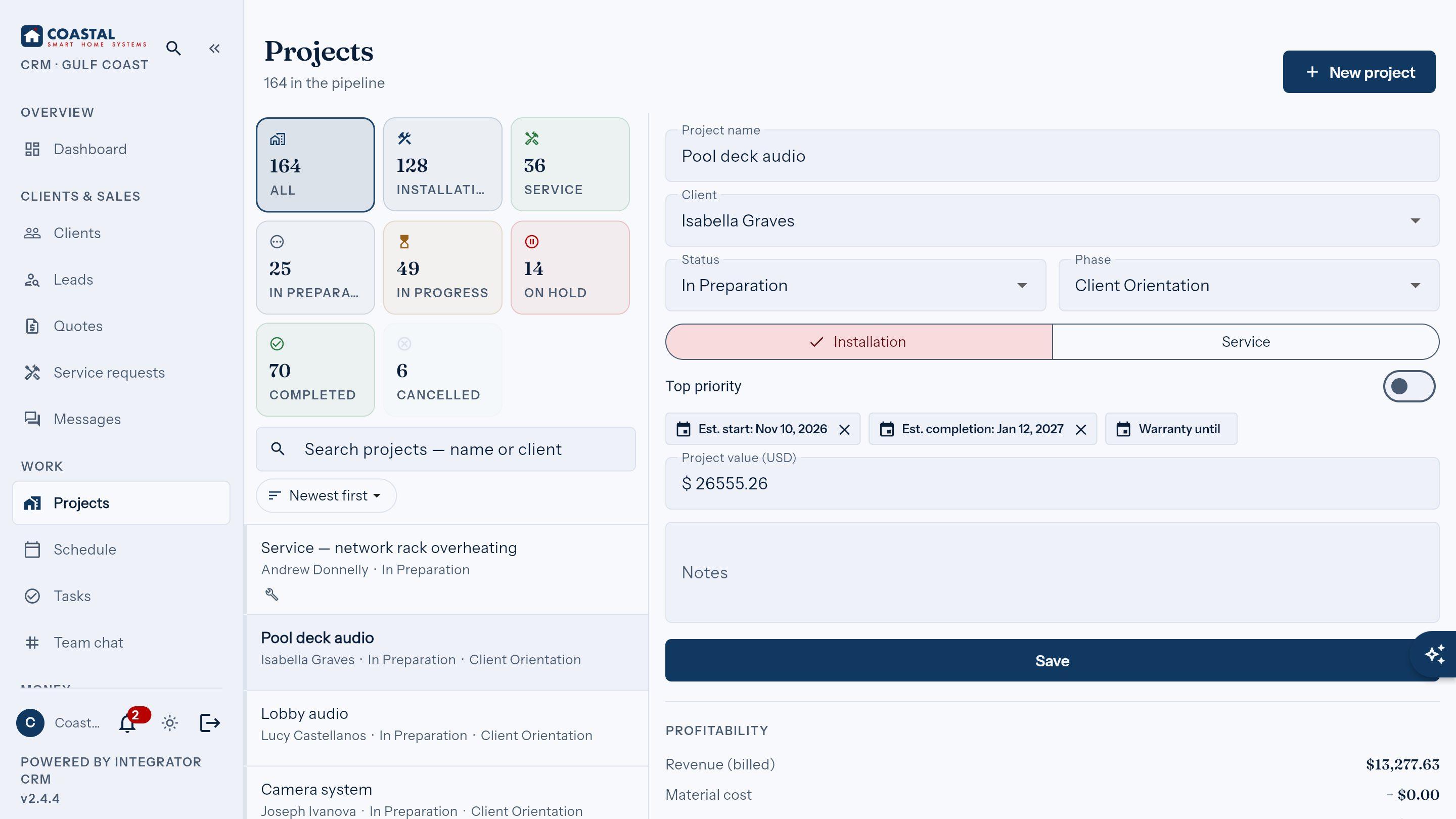
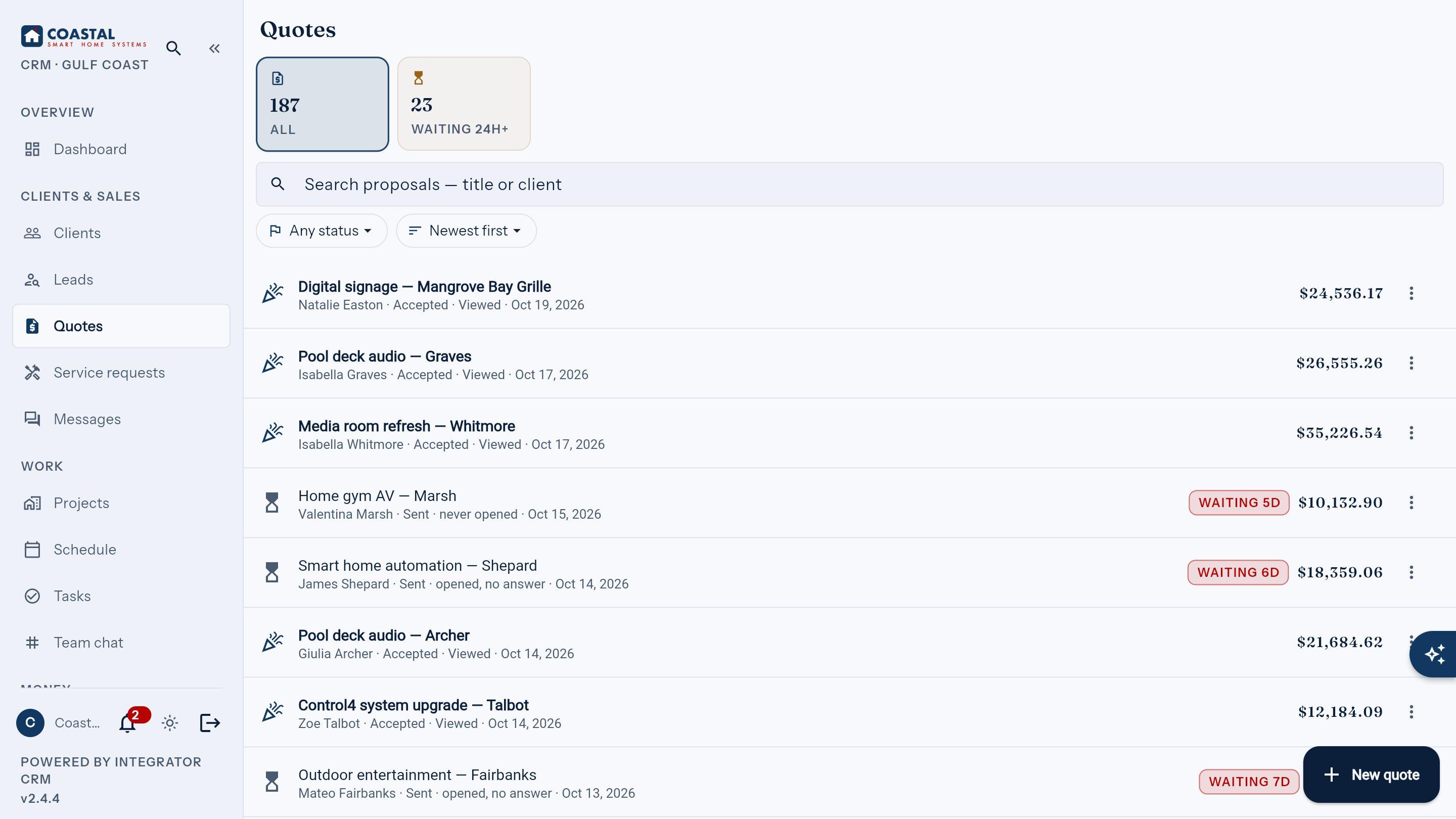
Office dashboard: the day's jobs, money and alerts at a glance
What it does
Key capabilities
Three apps, one codebase
Back-office for the office, a phone app for technicians and a portal for clients, all from one Flutter codebase.
From lead to payment
Lead, proposal, project, invoice and online payment in one flow, with service plans billed automatically.
Proposals drafted by AI
Describe the job in a few words and get a branded, itemized proposal PDF, with a heads-up when the client opens it.
Live for everyone
Updates and client-office chat appear instantly on every screen, with push notifications to the phone.
The technician's day on the phone
Schedule, tasks and job photos in the pocket, plus storm alerts for the crew working in Florida weather.
Secure by design
Database-level rules make sure the office, technicians and each client see only what belongs to them.
Tech stack
Core technologies
Specific packages and integrations are listed below.
Architecture
System layers
- Back-office: leads, proposals, projects, master calendar, invoices
- Inventory, purchase orders, reports and marketing campaigns
- Client portal: projects, proposals, payments, service requests, chat
- Technician app: the day's schedule, tasks and job photos
- Push notifications and storm alerts for the crew
- Same codebase as the back-office and the portal
- Supabase Postgres with row-level security per role
- Serverless functions for payments, email, push, AI and weather alerts
- Realtime streams for chat and live updates
Libraries
Key packages
- supabase_flutterSupabase client: Auth, Postgres, Realtime
- flutter_blocCubit state management
- go_routerone shell per role, deep links
- get_it + injectabledependency injection
- freezedimmutable entities & states
- pdf + printingbranded proposal and invoice PDFs
Integrations
External services
- SupabasePostgres with row-level security, Auth, Realtime, Edge Functions
- Stripeonline invoice payments, deposits and autopay
- Claude (Anthropic)AI proposal builder and assistant
- Firebase Cloud Messagingpush notifications to technicians and clients
- Resendproposal emails and marketing campaigns
- GoHighLevelnew leads flow straight into the CRM
Building something similar?
Book a short, free call. I'll assess the idea and tell you straight whether and how I can help.